Download YouTube playlist and channel videos with yt-dlp
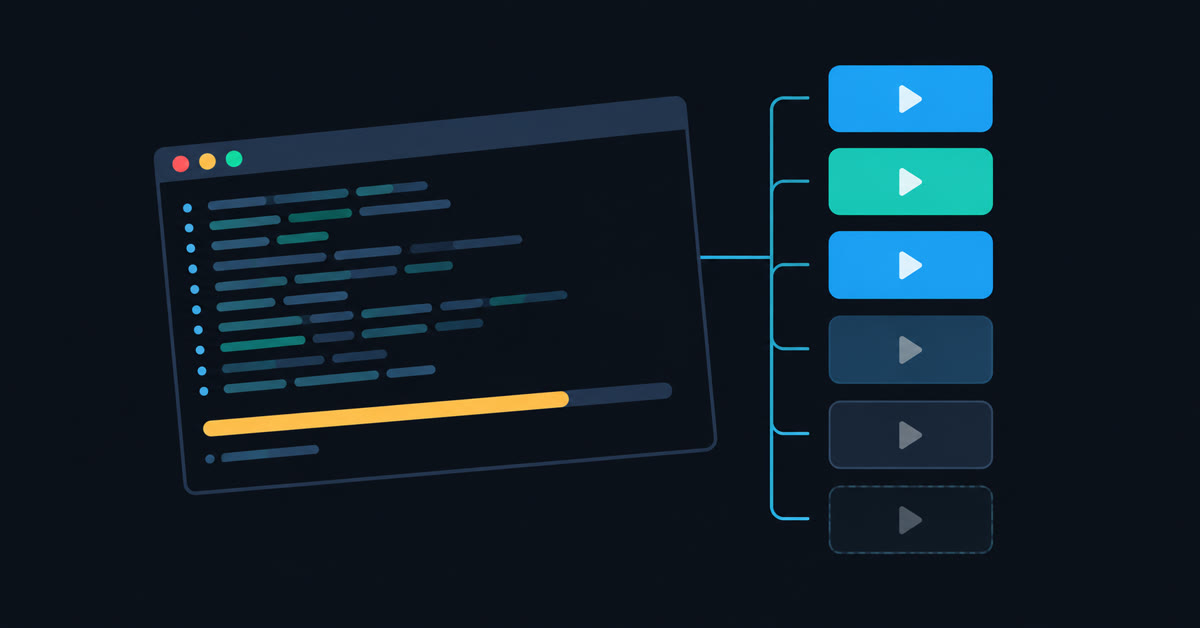
YT playlist downloader is a single Python script that uses yt-dlp to download YouTube playlist videos in bulk. It handles entire channels and single videos too. It numbers the files in playlist order and remembers what it has fetched, so an interrupted run resumes where it stopped. A private or deleted video does not stop it either. The source is on GitHub under the MIT licence: YT_playlist_downloader_by_Valcheff.
Use it for material you have the right to download. That covers your own uploads, Creative Commons and public domain video, or anything the uploader permits. DRM protected streams are out of scope, and yt-dlp cannot handle them at all.
What it does
yt-dlp can already do everything below. The catch is that doing it well takes a very long command line. Most people rebuild it from the help output every time and quietly leave out the parts they forget. The script fixes the flags in place so a bulk download behaves sensibly by default.
Files land in playlist order
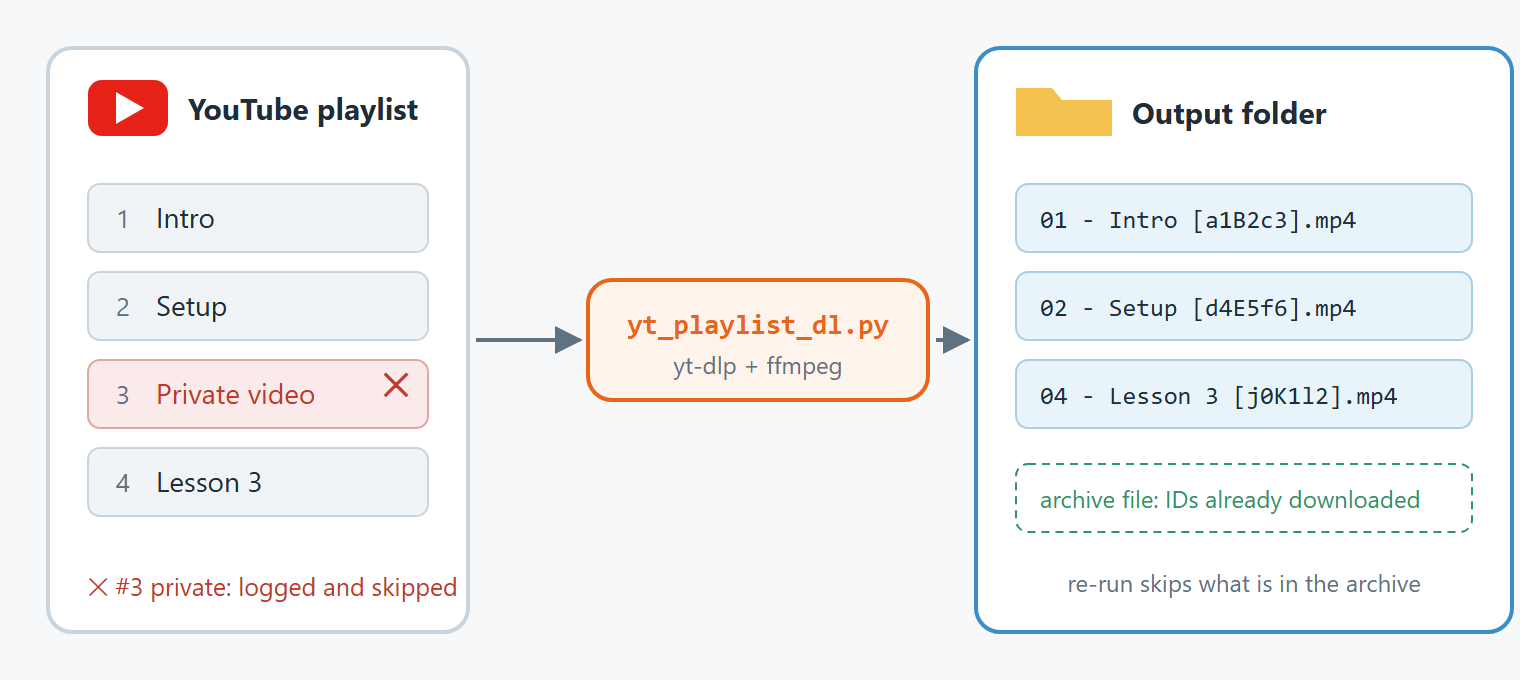
Each filename starts with its position in the playlist. A 40 part lecture series therefore stays in sequence on disk instead of sorting alphabetically by title. It also sanitises titles for Windows and caps them at 200 characters, so long names stay under the path limit.
Interrupted downloads resume
The script writes every completed video ID to an archive file in the output directory. Stop a 300 item playlist at item 180 and run the same command a week later. It continues at 181 rather than starting over. Partially written files resume at the byte level too, so a video cut off midway is not downloaded twice.
One dead video does not stop the run
The script logs and skips private, deleted and geo-blocked items, and the rest of the playlist still downloads. Without this, a single unavailable video at position 47 ends a 200 item run. That is the main reason unattended downloads fail overnight.
Requirements
- Python 3.9 or newer
- yt-dlp installed with its default dependency group
- ffmpeg on PATH, for merging video with audio and for audio conversion
- deno 2.3.0 or newer, which yt-dlp uses to solve YouTube’s JavaScript challenge
pip install -U "yt-dlp[default]"The quotes and the bracketed group matter. A plain pip install -U yt-dlp omits the challenge solver, which produces a misleading failure covered in the troubleshooting section.
How to download YouTube playlist videos
Start by listing the playlist. This prints the contents with numbers and durations and downloads nothing. It matters because a channel URL with 1100 videos looks identical to a playlist with 12 until you check.
python yt_playlist_dl.py "https://www.youtube.com/playlist?list=PLxxxx" --listThen take the first two items as a smoke test. It catches a wrong output path or a missing ffmpeg before a long run does:
python yt_playlist_dl.py "URL" -o "D:/Video" --items 1-2If those arrive correctly, drop the item range and download the whole playlist:
python yt_playlist_dl.py "https://www.youtube.com/playlist?list=PLxxxx" -o "D:/Video"Files arrive as D:/Video/<playlist name>/01 - Title [videoID].mp4 and so on. Pass --flat if you would rather skip the per-playlist subfolder.
How to download an entire YouTube channel
Point it at the channel’s videos tab. Channels list newest first. Add --reverse to make the oldest video file number one, which suits a course or a series:
python yt_playlist_dl.py "https://www.youtube.com/@channel/videos" -o "D:/Channel" --reverseLarge channels are worth splitting into batches with --items, for example 1-100 today and 101: tomorrow. The archive file makes the split safe, because the second run skips anything the first one finished.
To keep a channel mirrored, save the URLs in a text file and re-run the same command whenever you like. It downloads only the new uploads:
python yt_playlist_dl.py -f channels.txt -o "D:/Video"How to download audio only
To download YouTube playlist audio without the video, add --audio-only. For podcasts, lectures and music this cuts roughly ninety percent of the transfer. The script never touches the video stream:
python yt_playlist_dl.py "URL" -o "D:/Podcasts" --audio-only --audio-format opus --thumbnailChoose opus rather than mp3 where your player allows it. YouTube already serves audio as opus or m4a. Requesting mp3 makes ffmpeg re-encode an already lossy stream, which adds a second round of loss. With opus you keep the original bytes. mp3 is worth it only for hardware that cannot play anything else. flac is counterproductive: it multiplies the file size without recovering detail YouTube has already discarded. The --thumbnail flag embeds the video thumbnail as cover art, which is what most music players display.
How to download videos with subtitles
python yt_playlist_dl.py "URL" -o "D:/Course" --subs --auto-subs --sub-langs en,bg --embed-subsWithout --auto-subs you get only captions the uploader typed by hand, which for most amateur video means none at all. Adding it brings in YouTube’s machine transcript, which is useful for searching through lectures even though it reads poorly. --embed-subs writes the subtitles inside the video file instead of leaving separate .srt files next to it. That matters for players that fail to pick up external subtitle files.
Choosing quality and file size
The default ceiling is 1080p. It controls size more than quality, because 4K files are five to eight times larger than 1080p ones. The selector always takes the best format below the ceiling. A 480p source stays 480p, and the script never upscales it.
python yt_playlist_dl.py "URL" -o "D:/Video" --max-height 2160    # up to 4K
python yt_playlist_dl.py "URL" -o "D:/Video" --max-height 720     # small files
python yt_playlist_dl.py "URL" -o "D:/Video" --max-height 0       # no limit
Output goes into an mp4 container by default, which plays on essentially everything and spares media servers from transcoding. Switch to --container mkv when you are pulling several subtitle languages or want chapters preserved, since mp4 handles both badly.
Resuming and re-running
The script records completed video IDs in .downloaded.txt inside the output directory, and every later run skips them. Interrupt with Ctrl+C at any point and run the identical command afterwards to continue.
Two consequences are worth knowing. Moving the finished files elsewhere does not clear the archive, so the script will not fetch them again. To download the same playlist again at a different quality, point -o at a new directory or pass --no-archive.
For an overnight run on a shared connection, cap the speed and slow the request rate:
python yt_playlist_dl.py "URL" -o "D:/Video" --rate-limit 3M --sleep 1 --fragments 3Fragments deserve a word, because they are the main speed lever. A large video arrives in hundreds of fragments and the script downloads four at a time by default. Beyond roughly eight, YouTube throttles and intermittently returns HTTP 403. The retries that follow end up slower than a lower number would have been.
All options
| Option | Effect |
|---|---|
--list | Print the playlist contents and download nothing |
-o DIR | Output directory |
--flat | Skip the per-playlist subfolder |
--items SPEC | Select items: 5-20, 3,7,12, 5:, ::2 |
--reverse | Walk the playlist from the end, for channels that list newest first |
--max-height PX | Resolution ceiling, 1080 by default, 0 for unlimited |
--container | mp4, mkv or webm for the merged file |
--audio-only | Download the audio stream only |
--audio-format | opus, m4a, mp3, flac, wav or vorbis |
--subs, --auto-subs | Subtitles, optionally including machine generated ones |
--embed-subs | Write subtitles inside the video file |
--thumbnail | Embed the thumbnail as cover art |
--sponsorblock | Cut sponsor segments using the SponsorBlock database |
--fragments N | Parallel fragment downloads per video, 4 by default |
--rate-limit RATE | Speed ceiling such as 3M or 800K |
--sleep SECONDS | Pause between requests |
--cookies-from-browser | Use an existing browser session for your own private videos |
--no-archive | Ignore the resume archive and download everything again |
Troubleshooting
Every download fails with “This video is not available”
The message is wrong and the video is fine. YouTube hides its stream URLs behind a JavaScript challenge. yt-dlp solves it by running an external JavaScript runtime, deno by default, over solver scripts from the separate yt-dlp-ejs package. When the solver is missing, no formats come back and yt-dlp reports the absence of formats as an unavailable video.
Installing with the dependency group shown earlier pulls the solver in and fixes it. Official GitHub release binaries bundle it already, so this only bites pip installs. Verify both halves like this:
python -c "import yt_dlp_ejs; print('solver present')"
python -m yt_dlp -v --simulate "https://www.youtube.com/watch?v=SOME_ID"
The verbose output should report JS runtimes: deno-<version> followed by Solving JS challenges using deno. If it reports no supported runtime while deno is definitely installed, your terminal predates the installation. Its PATH is stale, so open a new one. Keep the two packages in step. yt-dlp raises the minimum solver version without announcing it and silently ignores an outdated one.
Downloads are slow or return HTTP 403
Lower --fragments to 2 or 3 and add --sleep 1. If it persists across a whole session rather than one video, YouTube is rate limiting your address. Waiting is the only real fix.
Merging fails or audio only produces nothing
ffmpeg is not on PATH. Run ffmpeg -version to confirm, and reopen the terminal if you installed it in this session.
Frequently asked questions
Can it download an entire YouTube channel?
Yes. Pass a channel videos URL such as https://www.youtube.com/@channel/videos and it walks every upload. Channels list newest first, so add –reverse for chronological order.
Can it resume an interrupted playlist download?
Yes. The script records completed video IDs in an archive file inside the output directory. Re-running the identical command skips them. Half finished files also resume at the byte level.
How many videos can it download at once?
There is no built in limit, and playlists of several hundred items are the normal case. It fetches videos one after another while the fragments inside each video download in parallel. That keeps the request rate low enough to avoid throttling.
Do I need YouTube Premium?
No. yt-dlp downloads the same streams an anonymous viewer receives. It never fetches ads, because YouTube delivers them separately from the video stream. A Premium account changes one thing: it makes the enhanced bitrate 1080p format available. yt-dlp labels that format Premium and prefers it automatically when you pass –cookies-from-browser. Everything else works identically without a subscription.
Can it download private or age restricted videos?
It can use your own browser session through –cookies-from-browser. That covers your own unlisted and private uploads and age gated material. It does not bypass any restriction; it only reuses the access you already have.
Which audio format should I choose?
opus, because YouTube already serves opus and nothing needs re-encoding. Choose mp3 only for players that cannot handle anything else.
Source
One script, one README documenting every option with the reasoning behind it, MIT licence: github.com/valcheffnet/YT_playlist_downloader_by_Valcheff. It calls yt-dlp as a Python library rather than shelling out. Progress reporting, error handling and the resume archive all run through the API.